Every accounts-payable team that pays vendors by ACH eventually sees a message that has nothing to do with a failed payment: a Notification of Change, or NOC. The payment went through, yet the receiving bank is telling you that something about the account information you used needs to be corrected. Ignoring it is the one wrong answer, because Nacha’s rules attach a deadline to it. This article walks through what an NOC is, who sends it, how long you have to act, and how a small finance team can build a simple routine around it.
This is general educational information drawn from Nacha’s published rules text, not advice for your situation. Rules wording, your bank’s agreement and your software all affect how this works in practice, so confirm details with your originating bank (the ODFI).
What a Notification of Change actually is
An ACH entry travels from the Originator (your company) to your bank, the ODFI, across the ACH Network to the receiving bank, the RDFI, and then to the account holder, called the Receiver. When the RDFI receives an entry that it can still post but notices that the information on it is wrong or outdated, it may send back a Notification of Change instead of, or in addition to, simply posting the money. The NOC carries a change code that tells you which field was wrong and the corrected information to use next time.
The classic triggers are mundane. A vendor’s bank was acquired and its routing number changed. The vendor moved its operating account to a new account number at the same bank. The entry used a checking transaction code for what is really a savings account. In each case the money usually still arrives, which is exactly why the notification is easy to overlook: nothing visibly failed.
An NOC is different from a return. A return means the entry was rejected and the funds come back, with a return reason code. An NOC means the entry was posted, and the receiving bank is asking you to fix your records. Our article on recalling a B2B payment covers the return and reversal side of the picture.
Who sends it and how fast
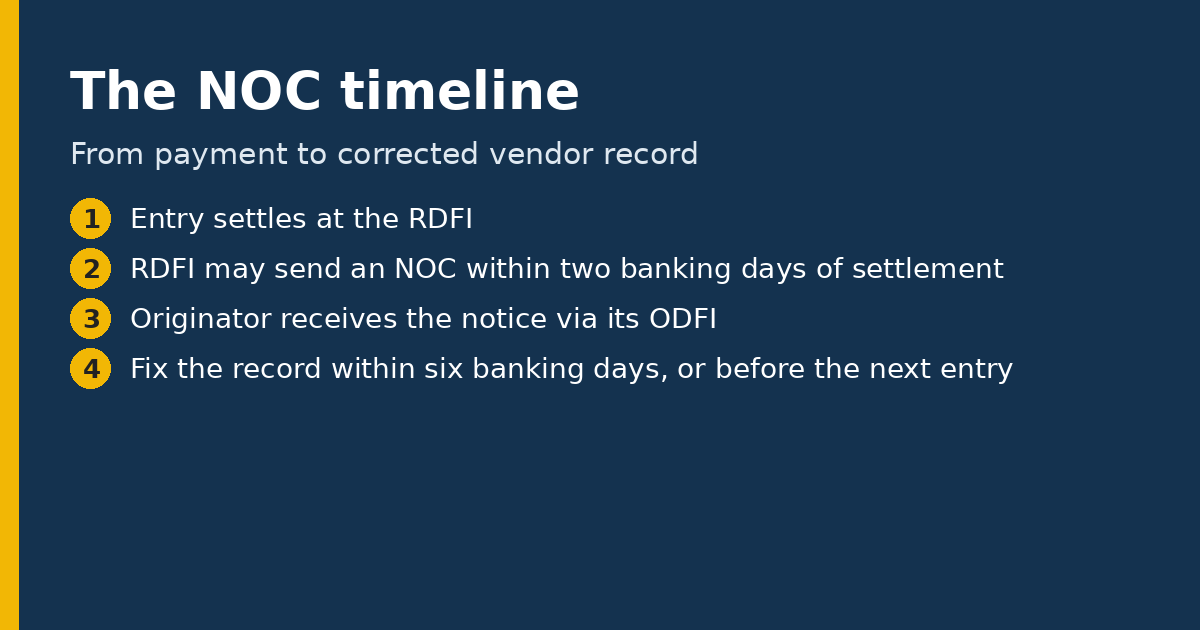
According to the Nacha rules text on account information improvements, an RDFI may send an NOC only if it is transmitted within two banking days of the settlement date of the entry the notice relates to. The exception is a notice caused by events such as a merger or acquisition, which can arrive on a different timeline. In practice that means a Notification of Change normally appears within a few days of the payment, and then flows back through the ODFI to you, typically as a file or report in your bank portal or accounting platform.
The originator’s deadline
The Originator’s duty comes from the same Nacha text. The Originator must make the changes specified in the NOC within six banking days of receiving the information, or before initiating another entry to that Receiver’s account, whichever is later. For a notice that responds to a prenotification (a zero-dollar test entry) meeting certain timing conditions, the Originator must make the change before originating a subsequent entry.
Read that carefully, because it contains two separate ideas. First, there is a window of six banking days that starts when you receive the notice, not when you sent the payment. Second, there is a hard stop: you should not send the next payment to that vendor using the old information once you know it is wrong. If your payables calendar has a weekly payment run, the practical deadline is usually the next run, not the sixth day.
What the change codes tell you
Change codes are three-character values beginning with “C.” They are listed in Nacha’s rules appendix on Notifications of Change, and your bank can supply a reference chart. At a high level they sort into a few groups: the account number was wrong, the routing number was wrong, both were wrong, or the transaction code (checking versus savings, credit versus debit) was wrong. There are also combination codes that flag more than one field at once. Some codes involve fields that only matter for particular entry types, such as individual names or identification numbers.
You do not need to memorize them. What matters is that your team can read the code and the corrected data, enter it into the vendor master record, and keep a note of what changed and why.
Why vendor-master changes need a second look
There is a security wrinkle that makes NOC handling more than clerical work. Payment fraud against businesses often begins with a request to change a vendor’s bank details, which is why we recommend independent confirmation of any vendor change in our piece on business email compromise and vendor-change controls. A Notification of Change arrives through the banking network rather than an email from a stranger, so it is a different channel. Even so, a sensible control is to treat NOC-driven updates as events that are logged, reviewed by someone other than the person who entered the payment, and reconciled against what the vendor has told you directly.
If a notice seems to contradict what you know, for example it changes the account to a different bank you have never heard of for that vendor, pause and ask your ODFI how to proceed rather than guessing. Your bank agreement and the rules will determine your options.
A simple routine for a small finance team
- Know where NOCs land. Ask your ODFI how it delivers notifications, who in your organization receives them, and whether your accounting or payment software ingests them automatically.
- Assign an owner and a backup. The notice is only useful if a named person checks the channel on every banking day.
- Log the date received. The six-banking-day clock starts then, so record it.
- Update the vendor record and hold the next payment until it is updated. That keeps you inside the “before another entry” limit.
- Review the change. Have a second person compare the new details with the vendor’s own documentation, using a trusted contact method you already had on file.
- Keep the evidence. Store the notice and the update record with the vendor file for audit purposes.
Common mistakes
Teams that treat NOCs as junk mail tend to end up with the same vendor producing a notice on every payment run, which is a red flag that the correction was never applied. Others apply a change automatically with no review. A third problem is that notices land in an inbox belonging to a person who has left the company. All three are process problems that a short written procedure solves.
If you originate through a payment processor or platform instead of directly with a bank, ask the provider whether it applies NOC changes for you or simply passes them along. The rules obligation sits with the Originator, and the answer determines whether your team has any work to do. For a broader view of how business-to-business ACH debits and credits are authorized and returned, see our guide to ACH debits between businesses.
Key takeaways
- A Notification of Change means the payment posted but the receiving bank wants your account data corrected.
- Under Nacha’s rules text, the RDFI generally has two banking days from settlement to send one, subject to exceptions.
- The Originator must apply the change within six banking days of receiving it or before the next entry to that account, whichever is later.
- Assign an owner, log receipt dates, review changes independently, and keep records.
Sources
- Nacha, Account Information Improvements: Proposed Modifications to the Rules (quoting Nacha Operating Rules sections 2.12.1 and 3.9.1)
- Nacha, ACH Network Rules
Disclaimer: Bridge Capital Partners provides general information about payment processing. Nothing in this article is legal, financial, tax, or compliance advice or an offer to provide any service. Consult your bank, processor, or qualified professional about your specific situation.
Need Help With Payment Processing?
Talk to our team about rates, gateways, and solutions for your business.
Get a Free Quote →